OTTOCAST Play2Video Pro – Wireless CarPlay Adapter
Introduction
Have you ever felt limited by your car’s infotainment system during long road trips or daily commutes? Most vehicles—even those released in recent years—still rely on wired Apple CarPlay or Android Auto and offer little more than basic navigation and music playback. If your family enjoys streaming YouTube or Netflix or you simply want a more modern multimedia experience, that old-fashioned setup can feel outdated quickly.
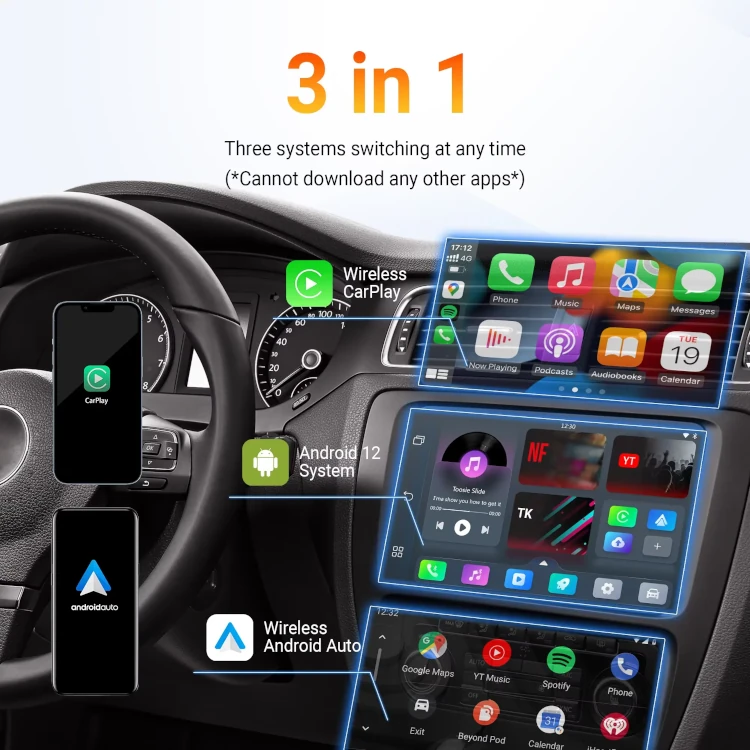
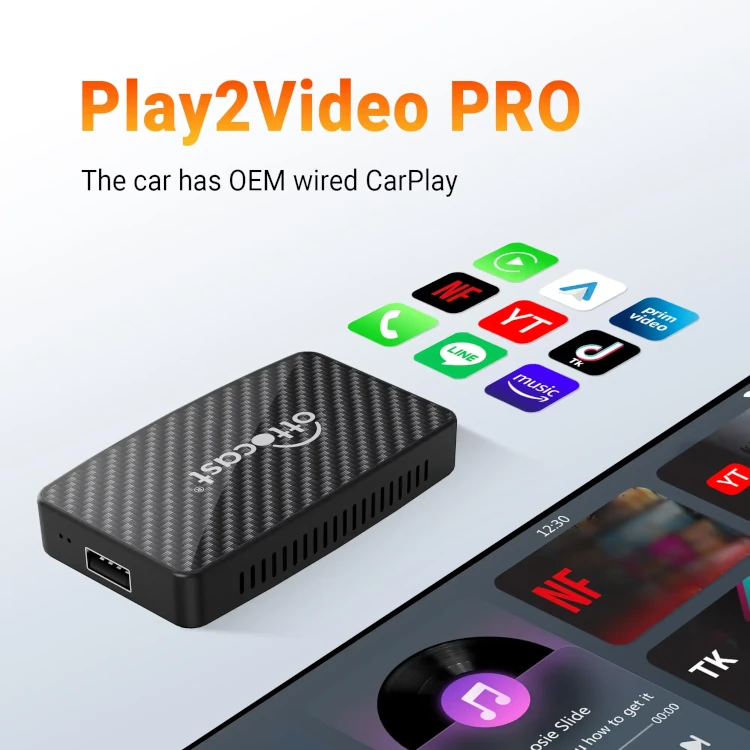
This is where the OTTOCAST Play2Video Pro steps in. Designed as a smart upgrade to existing factory wired CarPlay systems, this compact AI box transforms your car screen into a full multimedia console. With built-in apps like Netflix, YouTube, Prime Video, IPTV, and Spotify, plus support for Wireless CarPlay and Wireless Android Auto, it creates an in-car experience similar to that of a smart TV.
Whether you’re taking long road trips, keeping kids entertained, or simply looking for cable-free convenience, this device offers a powerful, plug-and-play way to bring advanced streaming and connectivity to your vehicle—without costly head-unit upgrades. In short, the OTTOCAST Play2Video Pro turns ordinary drives into enjoyable journeys.
If your car has factory wired CarPlay and you’ve been craving more control, more freedom, and more entertainment, this could be the ideal solution.
Where to Buy OTTOCAST Play2Video Pro?
You can check the latest prices, discounts, and availability of the OTTOCAST Play2Video Pro through the affiliate links provided below. Affiliate Disclosure These links will take you to trusted marketplaces where you can make a safe purchase.
(Note: Prices are not mentioned here as they may change — refer to the affiliate links for updated deals. No additional cost to you.)
Key Features & Specifications
The OTTOCAST Play2Video Pro offers a full suite of entertainment and connectivity features while maintaining quick setup and broad compatibility.
⭐ Key Features
- Converts wired CarPlay → Wireless CarPlay
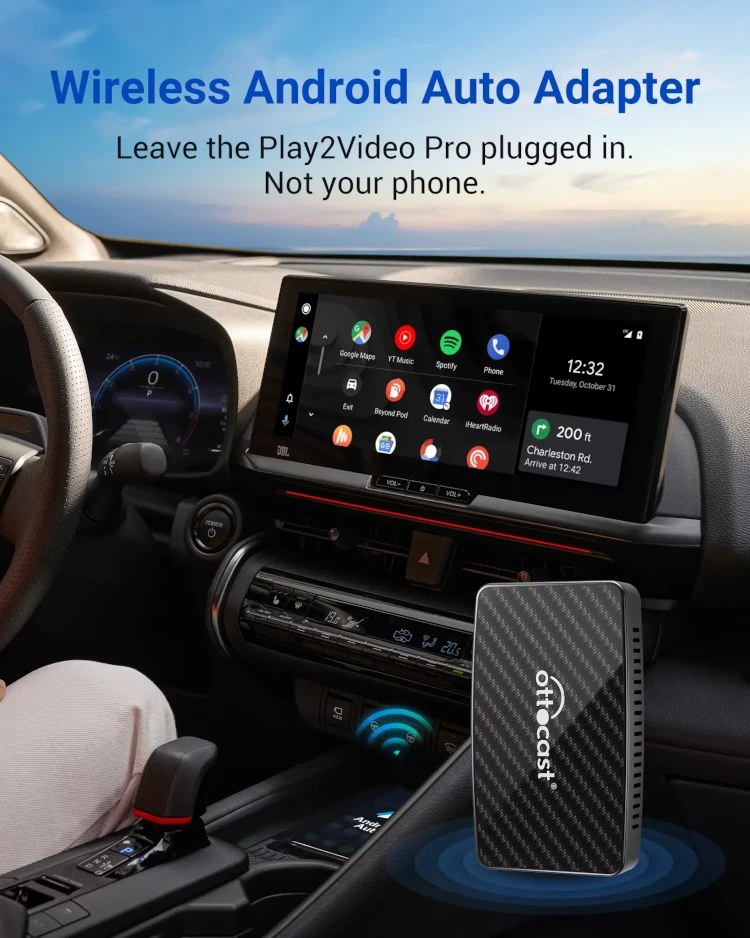
- Enables Wireless Android Auto
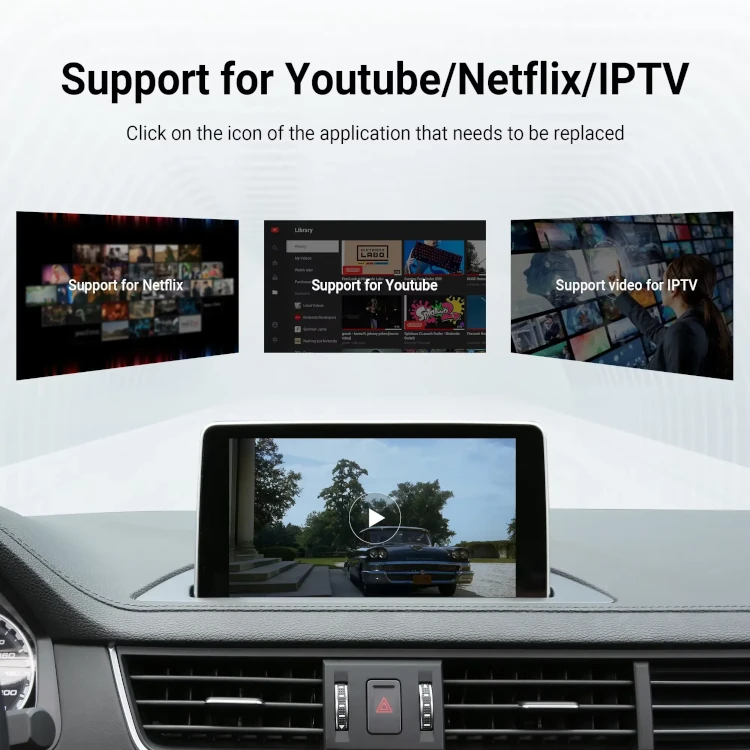
- Built-in streaming apps: YouTube, Netflix, Prime Video, IPTV, Spotify
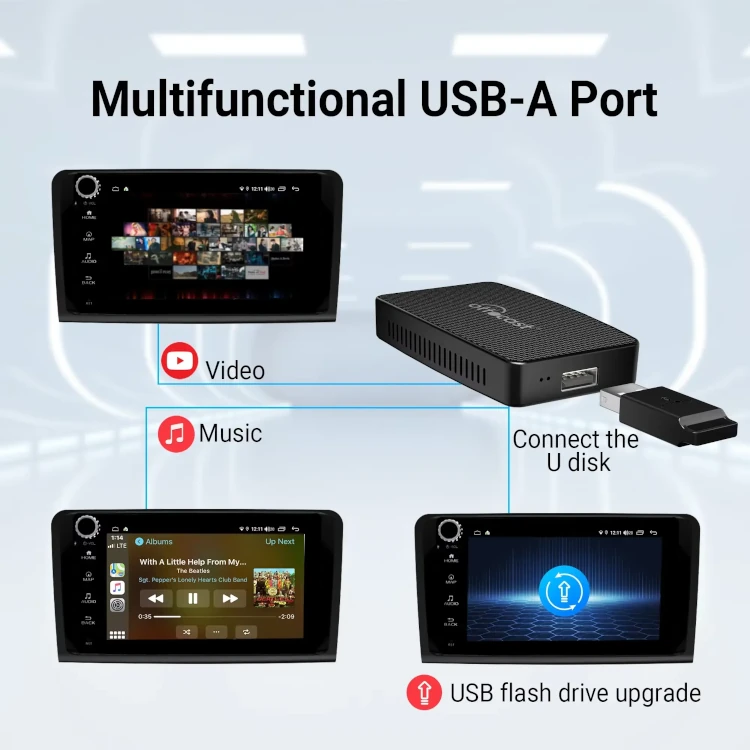
- USB flash drive media playback (music + videos)
- Customizable interface (hide sidebar, rearrange apps)
- Supports Siri & Google Assistant
- Compatible with steering wheel controls, touchscreen, and OEM knobs
- Easy plug-and-play installation
- Ideal for long trips and family journeys
Specifications
- RAM: 2GB DDR3
- Storage: 16GB eMMC
- Streaming Apps: YouTube, Netflix, Prime Video, IPTV
- OS Support: iOS 10+ / Android 11+
- Connectivity: Wi-Fi + Bluetooth
- Ports: USB-C (car), USB-A (media & updates)
- Controls: Steering wheel, OEM knob, touchscreen, voice
- Included Cables: USB-C to A, USB-C to C
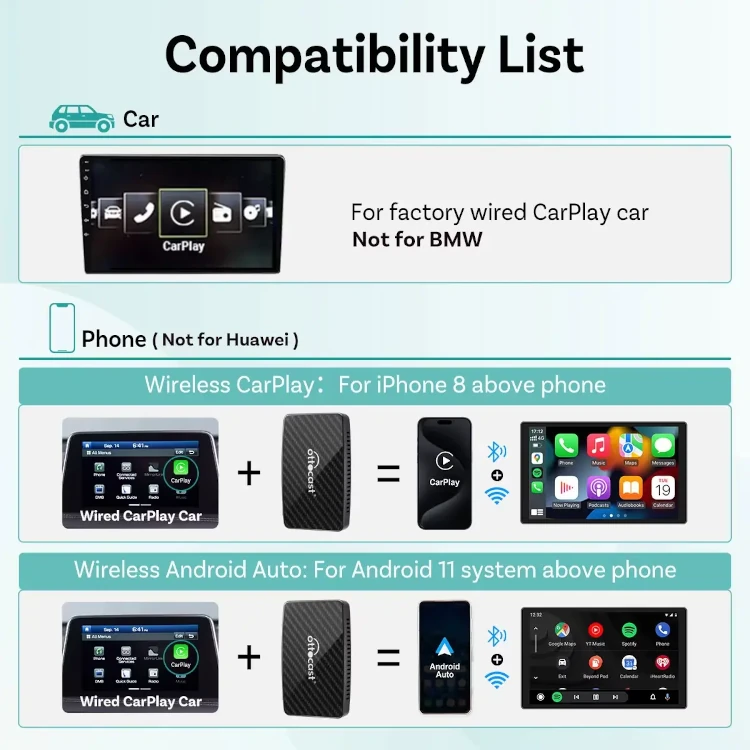
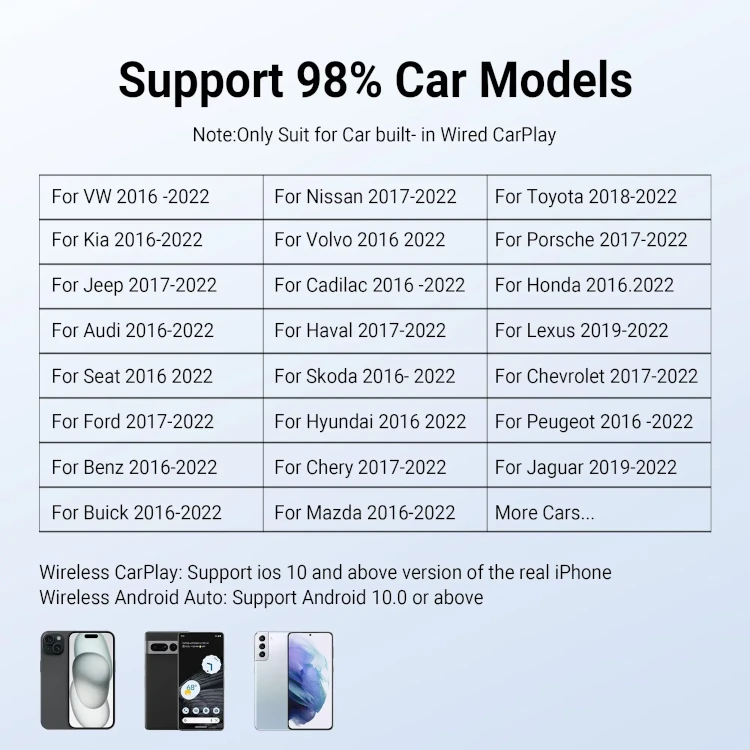
- Compatibility: Cars with factory wired CarPlay (2016–2024)
✅ Why These Specs Matter
- Wireless freedom: No more messy cables.
- More entertainment: Stream Netflix & YouTube on your car screen.
- Better usability: Voice control keeps hands free.
- Broad support: Works with major brands like Toyota, Audi, Ford, Mercedes, Honda, Lexus & more.
The built-in apps and storage mean you don’t need your phone to do the heavy lifting. It’s designed for convenience, versatility, and simplicity.
Design and Build Quality
The OTTOCAST Play2Video Pro is compact, lightweight, and easy to carry. With a clean aesthetic and modern matte finish, it blends seamlessly with your dashboard and looks like a natural part of your vehicle tech.
Its small footprint lets you keep it in your glove box or center console without clutter. The build quality feels solid enough for regular handling, and users frequently mention it fits well and feels premium in hand.
On the front, the unit includes:
- A USB-C port for connecting to your car
- A USB-A port for media storage and firmware upgrades
- LED indicator lights for quick status checks (power, pairing, updates)
The redesigned packaging includes two cables: USB-C to A and USB-C to C, ensuring compatibility while eliminating the need for additional accessories.
The only drawback, design-wise, is its interface. Although the UI is functional and customizable, some users feel it lacks polish and occasionally glitches. However, this is minor compared to its overall performance and capability.
Overall, the device achieves its purpose—small, discreet, and functional—without calling too much attention to itself.
Performance and Usability
In daily use, the OTTOCAST Play2Video Pro performs smoothly—whether you’re streaming Netflix, navigating wirelessly, or switching between built-in apps. Its 2GB RAM handles basic streaming needs comfortably, and the 16GB storage ensures pre-installed apps run without major lag.
✅ Setup Process
Setting up the Play2Video Pro is straightforward:
- Plug into your car’s USB port
- Pair with your phone via Bluetooth
- Connect to Wi-Fi/hotspot (for streaming apps)
- Start streaming or activate Wireless CarPlay / Android Auto
Most users report that this takes only a few minutes.
✅ Connectivity
Once paired, the device boots and connects automatically—although some users mention a 1–3 minute delay when starting the vehicle. Wireless CarPlay and Android Auto work reliably, allowing navigation, calls, messaging, and music without cables.
✅ Streaming
The built-in apps perform well when connected to a stable hotspot. Netflix and YouTube run smoothly with minimal buffering. You can also play media via USB flash drives.
However, note:
- Video apps require Wi-Fi
- Streaming cannot be active when Wireless CarPlay/Android Auto is running
✅ Controls
The device integrates seamlessly with your car’s input system:
- Steering wheel buttons
- Touchscreen
- OEM knob controllers
- Voice assistants (Siri + Google)
Compared to similar adapters, the Play2Video Pro offers a more entertainment-focused approach. While other wireless adapters only enable wireless CarPlay/Android Auto, this device provides a mini entertainment OS built into your vehicle.
Overall, performance is strong, though occasional bugs and connection delays appear depending on the vehicle model.t with its rare combination of angle design + ultra-high power + USB4 + 8K — meaning you won’t need separate adapters for each task.
✅ Pros & ❌ Cons
✅ Pros:
- Enables both Wireless CarPlay & Wireless Android Auto
- Built-in Netflix, YouTube, Prime Video, IPTV, Spotify
- Supports car controls + voice assistants
- Easy plug-and-play installation
- Customizable interface
❌ Cons:
- Requires Wi-Fi/hotspot for streaming
- Pre-installed apps only (no new app downloads)
- Occasional glitches or slow connection at startup
The pros heavily outweigh the cons, especially if you value performance + cable protection.
What Customers Are Saying
Overall, customer opinions about the OTTOCAST Play2Video Pro vary by platform.
AliExpress feedback is overwhelmingly positive, while Amazon shows mixed experiences.
⭐Positive Feedback Highlights
Many users appreciate how easily the device converts wired CarPlay to wireless. Others love having Netflix and YouTube directly on the car screen.
“Turned my LC 500 into a 2025 wireless Android Auto system.”
“Works perfectly — I use it for Netflix and YouTube!”
“Very good functionality — great value for the price.”
“Excellent product, fast shipping and solid build.”
“Works well even with Xiaomi phones.”
Users also highlight:
- Useful on long trips
- Good wireless performance
- Stable navigation + music streaming
- Strong customer support
⚠ Negative Feedback Highlights
Some buyers—particularly on Amazon—experienced connectivity problems and app login issues.
“Stopped working after two months, though customer support replaced it.”
“Prime Video not accessible.”
“Connection drops occasionally.”
“UI graphics feel low-quality.”
“Firmware updates caused issues.”
Main complaints revolve around:
- Slow boot time
- Wi-Fi dependency
- App availability
- Connectivity reliability
- Tech support inconsistency across regions
Still, most issues were solvable with updates or replacements.
FAQs – Frequently Asked Questions
Q1. Does the OTTOCAST Play2Video Pro work with all vehicles?
No. It only works with vehicles that have factory wired Apple CarPlay. Model years 2016–2024 are generally supported.
Q2. Does it support both iPhone and Android?
Yes.
iPhone: iOS 10+
Android: Android 11+
Q3. Can I install apps on it?
No. Only pre-installed apps like YouTube, Netflix, IPTV, and Prime Video are available.
Q4. Do I need internet to stream videos?
Yes. You must connect via hotspot/Wi-Fi to use streaming apps.
Q5. Does wireless CarPlay run at the same time as Netflix?
No. Streaming apps cannot run alongside Wireless Apple CarPlay or Wireless Android Auto.
Q6. How do I set it up?
Plug into your car, pair via Bluetooth, connect to Wi-Fi/hotspot, and you’re good to go.
Q7. Will it work with aftermarket stereos?
Yes—if the unit supports wired CarPlay.
Q8. Is it compatible with Huawei or Xiaomi phones?
No. Not compatible with Huawei or Xiaomi Redmi models. However, some users report it works with Xiaomi 14T Pro.
Q9. Does it respond to voice assistants?
Yes. It supports Google Assistant and Siri.
Q10. Does it support steering wheel controls?
Yes, along with touch and OEM knob controls.
Q11. Does it get hot?
Normal warmth, but generally no overheating issues.
Q12. What’s included in the box?
Play2Video Pro Adapter, USB-C to A Cable, USB-C to C Cable & User manual
Final Verdict – Should You Buy It?
If you’ve been searching for a simple way to bring wireless connectivity and streaming apps to your existing car display, the OTTOCAST Play2Video Pro is one of the most versatile gadgets available today. Seller on AliExpress has highest ratings while on Amazon got average ratings.
It’s especially valuable for:
- Families with kids
- Long-distance drivers
- Rideshare drivers
- Tech-savvy car owners
- Anyone who dislikes wired CarPlay
Its strengths lie in its plug-and-play convenience, built-in video apps, and strong support for Wireless CarPlay and Wireless Android Auto. While some limitations exist—like mandatory hotspot usage for streaming and occasional pairing delays—the trade-off is absolutely worth it for the entertainment it delivers.