All-In-One Curved Split Keyboard – Ultimate Ergonomic Upgrade
Introduction
Long hours at a desk can take a toll on your hands, wrists, and posture. Typing on a traditional keyboard while constantly switching to a mouse or trackpad often leads to discomfort, strain, and reduced productivity. If you’re a programmer, gamer, content creator, or anyone who spends a significant amount of time in front of a computer, you’ve likely experienced these challenges.
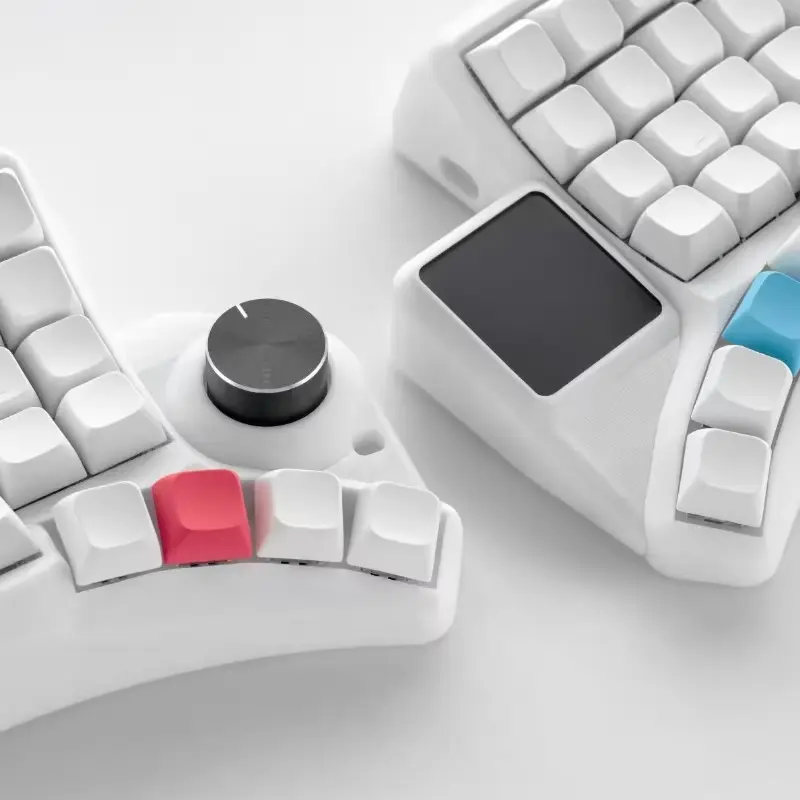
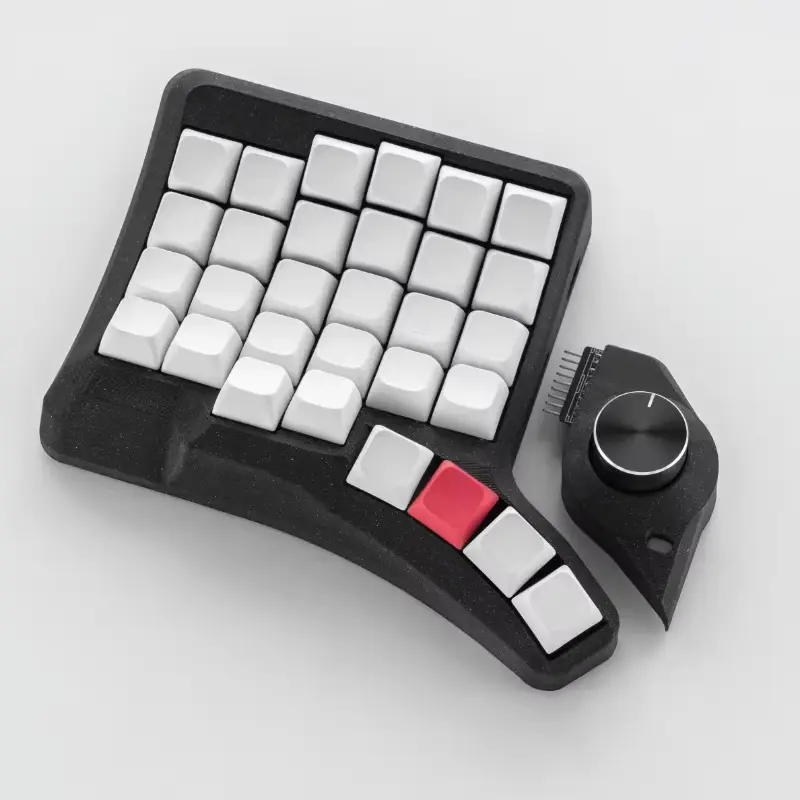
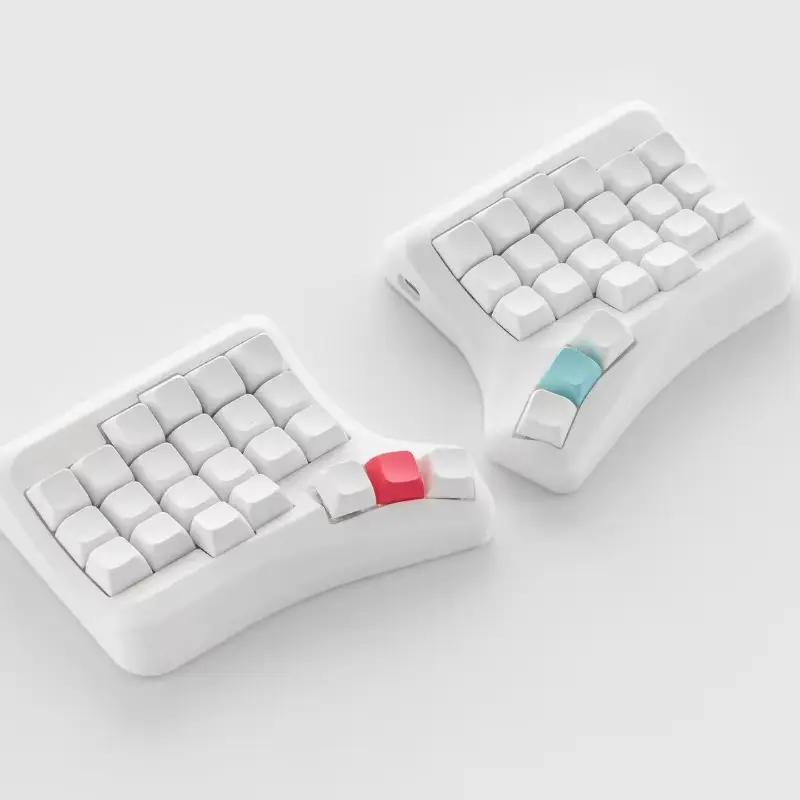
The All-In-One Curved Split Keyboard (HPD V2) is designed to address these problems. Combining an ergonomic split layout, built-in trackball, touchpad, and a multi-function knob, this keyboard integrates three essential desktop navigation tools into a single device. Its hot-swappable MX switches and QMK/Via programmability let you customize your workflow, while the 3D-printed PLA shell ensures a durable and lightweight build. This isn’t just a keyboard; it’s a complete ergonomic workstation designed to enhance comfort, productivity, and control.
Whether you want to type efficiently, navigate seamlessly, or game without strain, the HPD V2 offers a versatile solution for modern desk setups.
Where to Buy All-In-One Curved Split Keyboard?
You can check the latest prices, discounts, and availability of the Curved Split Keyboard through the affiliate links provided below. Affiliate Disclosure These links will take you to trusted marketplaces where you can make a safe purchase.
(Note: Prices are not mentioned here as they may change — refer to the affiliate links for updated deals. No additional cost to you.)
Key Features & Specifications
Here’s a closer look at what makes this keyboard stand out for productivity and comfort:
⭐ Key Features
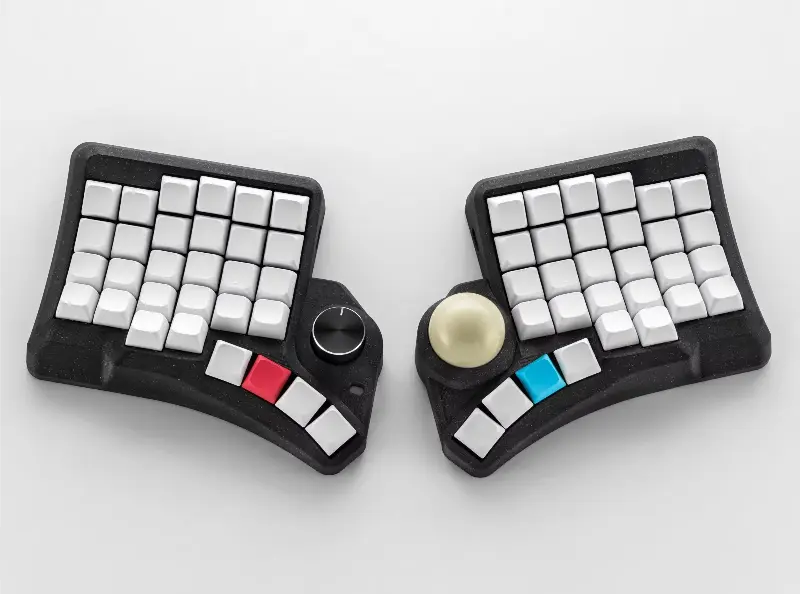
- Curved 3D Split Layout: Aligns wrists naturally to reduce strain during long typing sessions.
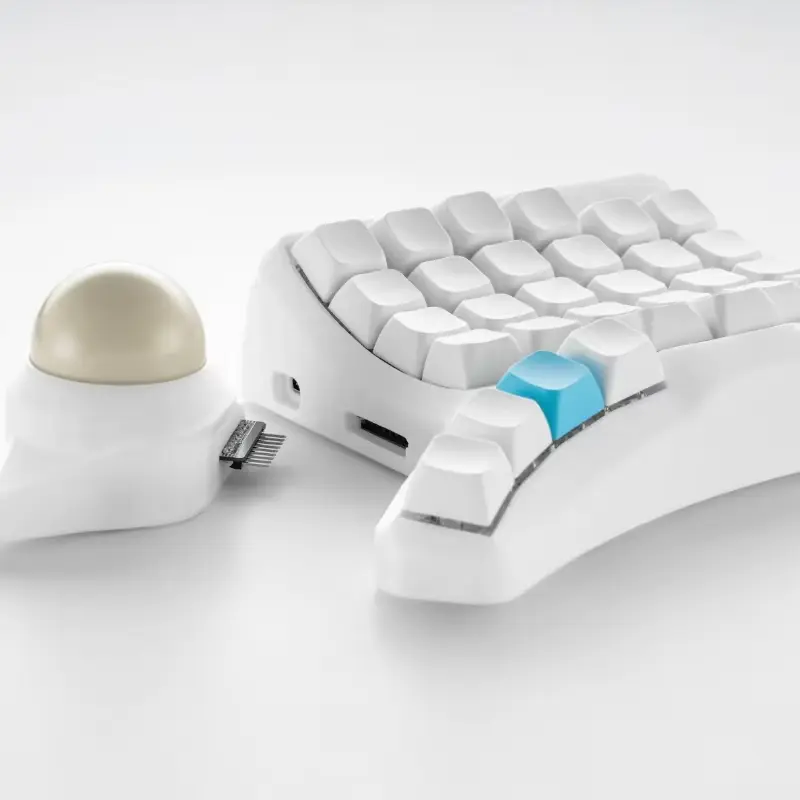
- Built-In Trackball Module: Navigate without a separate mouse for precise control.
- Touchpad Option: Smooth gesture-based navigation for daily tasks.
- Multi-Function Knob: Adjust volume, scroll, zoom, and switch layers with one hand.
- Hot-Swappable MX Switches: Customize tactile feel without soldering.
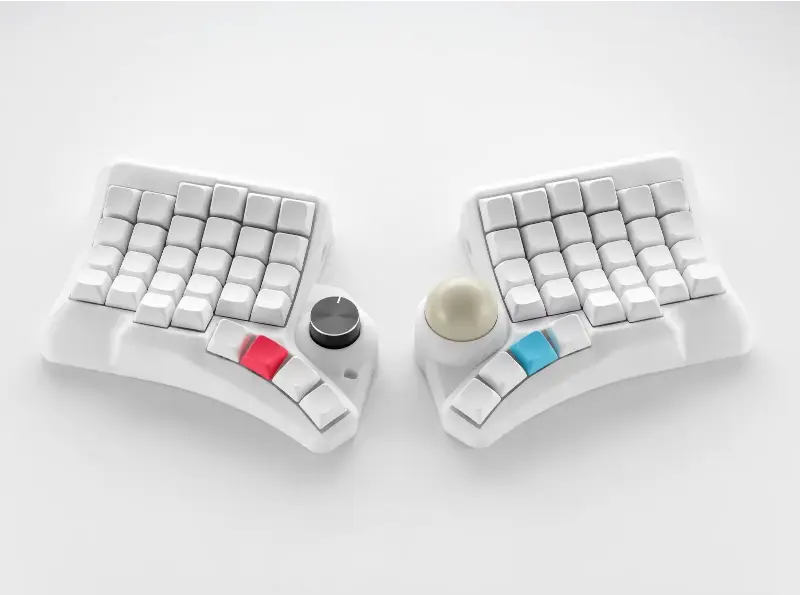
- Modular Layout: Switch between Trackball or Touchpad modules based on workflow.
- QMK + VIA Programmable: Fully remap keys, create macros, and set multiple layers.
- 3D-Printed PLA Shell: Lightweight, durable, and ergonomically contoured.
- USB-C Wired Connectivity: Reliable connection with included dual-hand cables.
- Versatile Applications: Ideal for coding, gaming, editing, and general productivity.
Specifications
Feature | Specification |
|---|---|
Product Name | HPD V2 All-In-One Curved Split Keyboard |
Material | 3D-Printed PLA |
Connectivity | USB Type-C (Wired) |
Layout | 60 keys + modular components |
Switch Support | MX Hot-Swappable |
Modules | Trackball + Knob OR Touchpad + Knob |
Programmability | QMK + VIA/Vial |
Backlighting | None |
Suitable For | Computers & Laptops, Coding, Gaming, Office Productivity |
Package | Includes dual-hand cables and optional DIY kit |
The combination of ergonomic design, integrated navigation, and customization makes this keyboard ideal for modern productivity and workstation setups.
Design and Build Quality
The HPD V2 immediately stands out due to its curved split design, which positions each half of the keyboard at a natural angle to minimize wrist rotation and fatigue. The ergonomic layout is highly adjustable, letting users change the spacing and tilt of each half to match their typing posture.
Its 3D-printed PLA shell is lightweight yet sturdy, offering a premium look with subtle surface texture. While slight layering is visible (a normal aspect of 3D printing), it does not affect functionality. Many users appreciate the tactile feel of the material, describing it as both durable and aesthetically modern.
The modular trackball, touchpad, and knob are standout elements. The trackball rotates smoothly, allowing precise cursor movement without leaving the keyboard. The touchpad supports intuitive gestures, while the knob adds tactile control for volume, scrolling, and macro operations. Together, these features make it a versatile workstation tool for gaming, coding, or general productivity.
Overall, the design balances comfort, functionality, and modern aesthetics, while providing users with a highly flexible setup.
Performance and Usability
In real-world use, the Digital Tasbeeh Ring performs exactly as intended — smooth, efficient, and distraction-free. Users can begin counting Zikr immediately without any setup or pairing. Simply wear the ring, press the soft-click button, and focus on your recitations.
The button registers clicks accurately, avoiding missed counts or accidental double counts. Its silent operation ensures that you can use it anywhere — during breaks at work, while traveling, after prayers, or even during quiet moments of reflection. The memory function is especially useful for those who don’t want to lose their progress when pausing between sessions.
Comparing it to traditional Tasbeeh beads, the digital version offers greater portability. Unlike beads, it doesn’t tangle, break, or require both hands. Compared to mobile app-based Tasbeeh counters, it’s far more convenient since it doesn’t drain your phone battery or require unlocking a screen.
The battery life is impressive, thanks to the auto-sleep function. Even with daily use, users report needing a battery replacement only after several weeks.
Overall, the Digital Tasbeeh Ring provides a smooth, reliable, and user-friendly experience — especially for busy individuals who want to maintain regular Zikr without interruption.
✅ Pros & ❌ Cons
✅ Pros:
- Ergonomic curved split layout reduces wrist and hand strain
- Built-in trackball, touchpad, and knob for all-in-one control
- Fully programmable with QMK + VIA/Vial
- Hot-swappable MX switches for customizable typing feel
- Modular design allows workflow optimization
- Lightweight yet durable 3D-printed build
- Ideal for coding, gaming, editing, and productivity
❌ Cons:
- Visible 3D-printed layer texture
- Small learning curve for first-time split keyboard users
- No backlighting, which may affect low-light use
- Limited support for complete beginners without assembly experience
What Customers Are Saying
The HPD V2 has received positive feedback from verified buyers on marketplaces like AliExpress, with high ratings for ergonomics, modularity, and overall usability.
⭐Positive Feedback Highlights
“Perfect for long-hour office use! The ergonomic curved surface keeps your wrists pain-free, the hot-swappable switches are easy to replace and smooth to type with, and the trackball + touchpad let you operate without moving your hands. The PLA material has a great texture, and it’s also convenient for DIY. Highly recommended!”
“This split keyboard is very beautiful. The keyboard adopts a split design, which can freely adjust the angle and spacing of the left and right halves. It also comes with knobs and trackballs, allowing me to perform more precise operations. It supports QMK key changing, and all key functions can be customized. It can even set multi-layer layouts to meet different needs such as programming and gaming. The key positions are completely adjusted according to personal habits, resulting in a significant improvement in efficiency. I really like this keyboard!!”
⚠ Negative Feedback Highlights
- Some users noted a short adjustment period when transitioning from flat keyboards.
- The 3D-printed texture shows minor layering, which is aesthetic rather than functional.
Overall, the reviews indicate that users highly value comfort, modularity, and customizability, making it a recommended purchase for productivity-focused users.
FAQs – Frequently Asked Questions
Q1. Is this keyboard suitable for long typing sessions?
Yes. The curved split layout promotes natural wrist alignment and reduces fatigue during extended use. However it varies person to person.
Q2. Can I replace the switches myself?
Absolutely. It supports hot-swappable MX switches, letting you customize tactile feel without soldering.
Q3. Does it work with both Windows and Mac?
Yes, it is compatible with most operating systems. Some key mappings may need minor adjustments on Mac.
Q4. What’s the difference between the trackball and touchpad versions?
The trackball allows precise cursor movement, ideal for editing and gaming, while the touchpad supports gesture-based navigation for daily tasks.
Q5. Can I program all the keys?
Yes. Using QMK and VIA/Vial, you can remap keys, create macros, and set multiple layers.
Q6. Is it suitable for gaming?
Yes. Programmable layers, integrated navigation modules, and hot-swappable switches make it ideal for gaming and productivity workflows.
Q7. Does it have backlighting?
No, this keyboard focuses on ergonomic design and functional performance rather than lighting.
Q8. How long does it take to adjust to the split layout?
Most users adapt within a few hours to a couple of days, depending on previous keyboard experience.
Q9. Is the 3D-printed material durable?
Yes. PLA is lightweight and sturdy. Minor surface texture is normal for 3D printing.
Q10. Can I use it with laptops?
Absolutely. Its modular and compact design makes it compatible with both laptops and desktops.
Q11. Does it include all cables for setup?
Yes. Dual-hand USB-C connection cables are included for easy setup.
Q12. Is it good for programmers and content creators?
Yes. Ergonomic design, modular controls, and customizable layers make it perfect for coding, editing, and productivity tasks.
Final Verdict – Should You Buy It?
The All-In-One Curved Split Keyboard is an innovative tool that combines ergonomics, modular design, and full programmability in a single device. Its built-in trackball, touchpad, and knob eliminate the need for separate peripherals, while the split layout and hot-swappable switches enhance comfort and customization.
This keyboard is ideal for programmers, gamers, content creators, and anyone who spends long hours at a desk. It addresses common ergonomic issues while providing advanced navigation and workflow options that traditional keyboards cannot match.
If you’re ready to boost productivity, reduce wrist strain, and enjoy complete control at your fingertips, the HPD V2 is a must-have addition to your desk setup.

One Comment