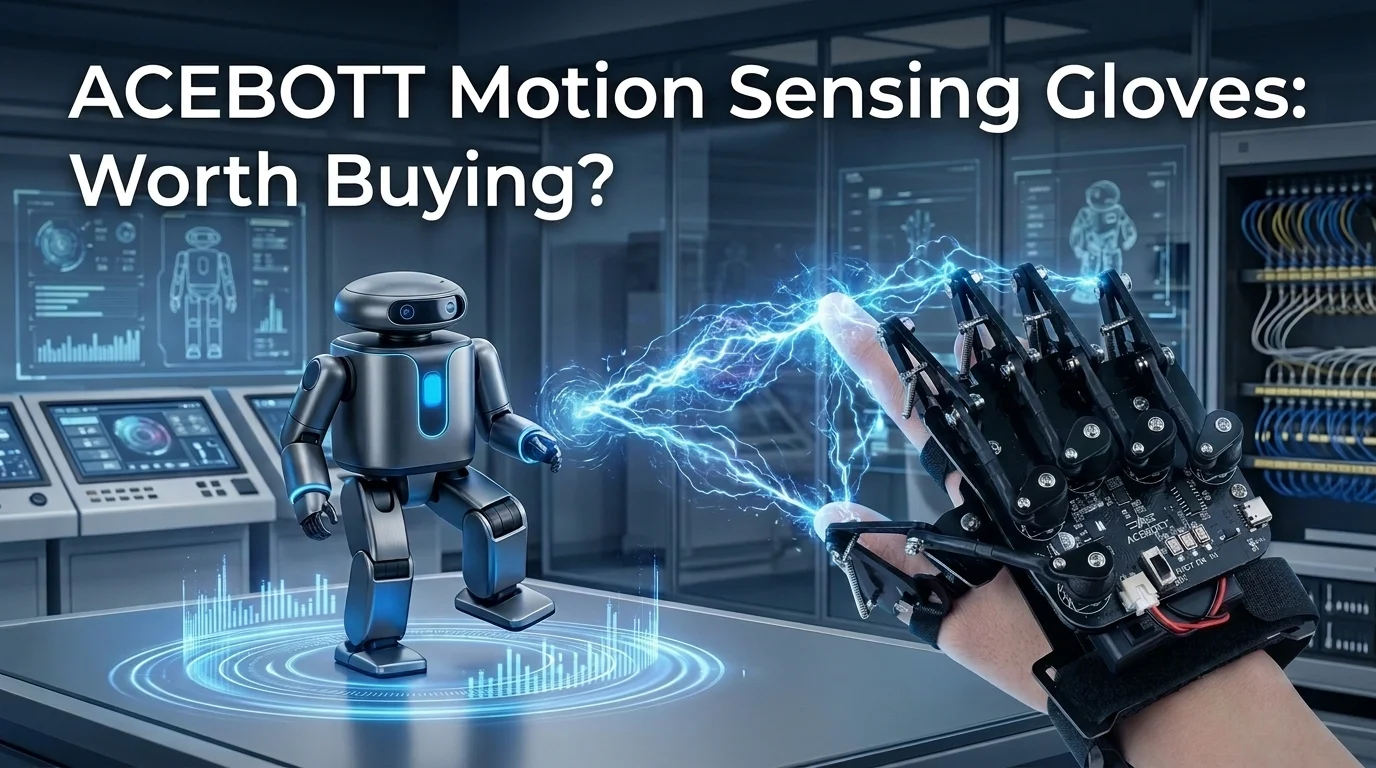
ACEBOTT Motion Sensing Gloves: Worth Buying?
The Real Talk Intro & Quick Verdict
If you’ve ever tried controlling a robot with a keyboard, joystick, or phone app, you know it can feel a little disconnected. For students learning robotics, STEM educators, and hobbyists, a more natural way to interact with robots can make projects both easier and more engaging.
That’s exactly what caught my attention about the ACEBOTT Motion Sensing Gloves. Instead of relying on traditional controls, the glove lets compatible robots respond to your hand movements and finger gestures. On paper, it sounds like an exciting learning tool, but marketing claims don’t always tell the whole story.
To write this review, I didn’t rely on manufacturer descriptions alone. I also went through the product information and a large number of customer reviews to understand where this glove performs well and where buyers have encountered frustrations. The goal is simple: help you decide whether it’s the right addition to your robotics setup.
Quick Summary
Verdict: A well-designed gesture controller for compatible ACEBOTT robotics projects, but best suited for users willing to spend time learning and setting it up.
Best For: STEM education, robotics enthusiasts, makers, Arduino learners, classrooms, and existing ACEBOTT users
Not Ideal For: Buyers expecting a plug-and-play toy, very young children working independently, or people without compatible robot kits
Key Highlights: ESP32 controller built in • Bluetooth wireless control • Supports Arduino, ACECode, and Python • Gesture-based robot control • Open-source for custom projects
Affiliate Disclosure (Note: Prices are not mentioned here as they may change — refer to the affiliate links for updated deals. No additional cost to you.)
Features vs. Reality
Marketing Claim | Reality After Research |
|---|---|
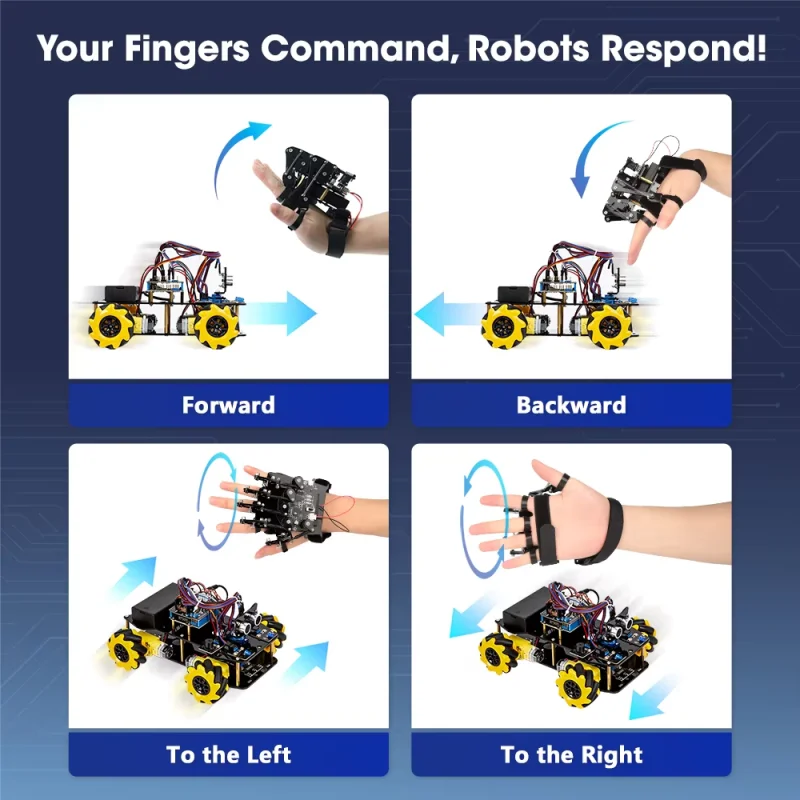
Natural gesture-based robot control | Users generally report responsive gesture control once everything is configured correctly, although occasional missed commands have been mentioned. |
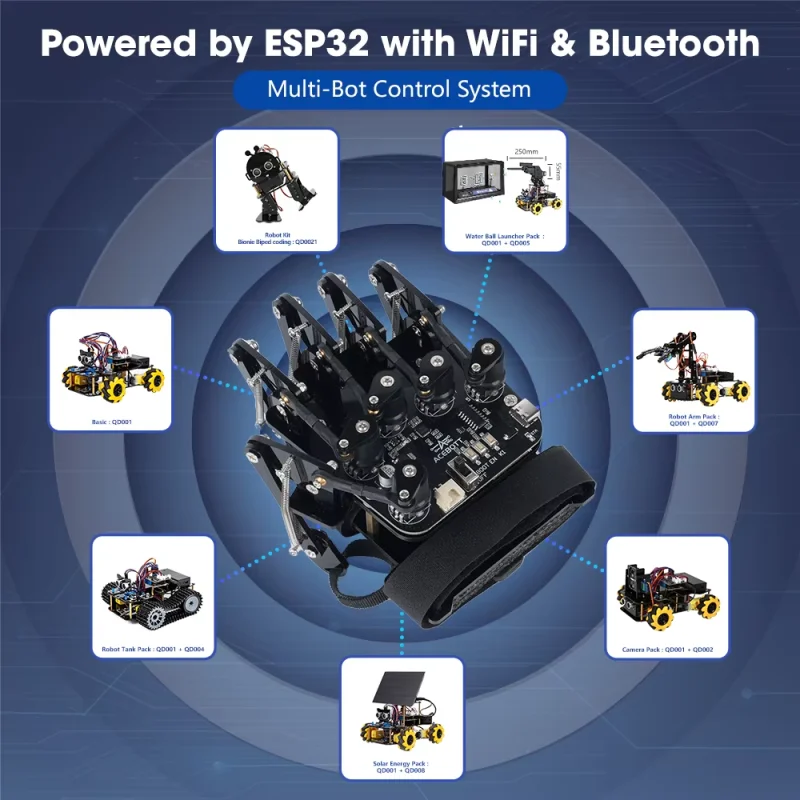
Built-in ESP32 controller | The integrated ESP32 removes the need for an external Bluetooth module, simplifying the hardware setup. |
Supports Arduino, ACECode & Python | The product information includes support for these programming environments, making it suitable for learning and custom development. |
Plug-and-play convenience | The glove arrives largely assembled, but programming, downloading libraries, and pairing with compatible robots may still be required. |
Comprehensive tutorials | Many buyers appreciated the online lessons, although some reported that instructions could be confusing or difficult to locate. |
Technical Specifications
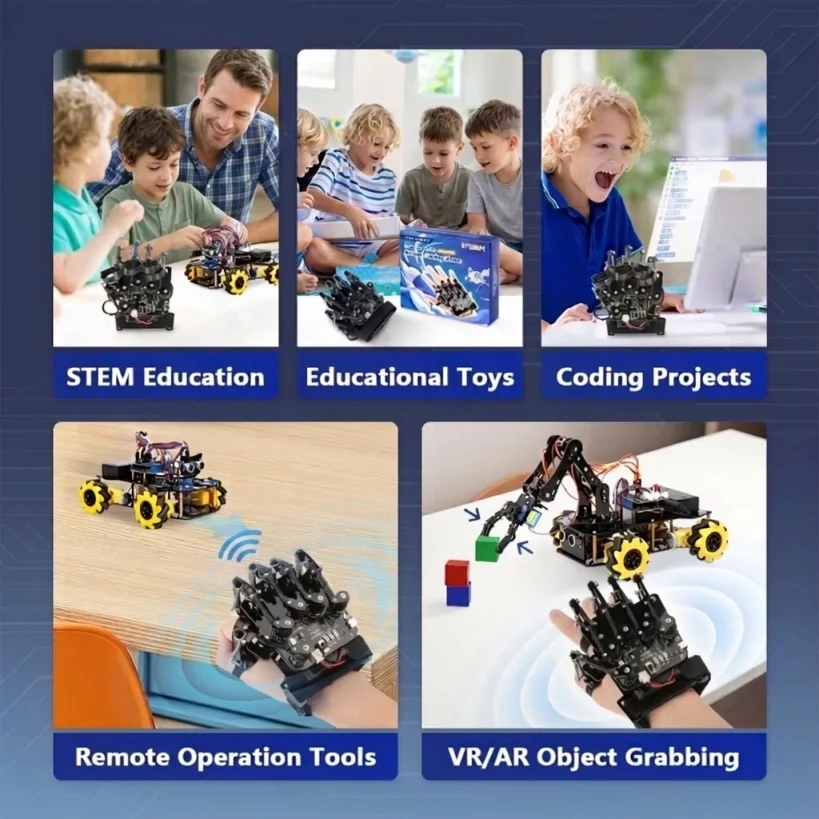
- Controller: ESP32 — provides onboard processing and wireless communication.
- Connectivity: Bluetooth — enables wireless communication with compatible robots.
- Sensors: Five finger encoders and one accelerometer — track finger bends and hand movement for gesture recognition.
- Programming Support: Arduino, ACECode, and Python — useful for beginners as well as advanced users.
- Power: Four AAA batteries (not included) — easy to replace without charging downtime.
- Compatibility: Designed primarily for ACEBOTT robot kits.
- Design: Fully assembled ergonomic wireless glove with Type-C USB port and upgraded connector.
Common Troubleshooting
Several reviews point to similar issues:
- Download the correct tutorials for your hardware version.
- Install the required software libraries before uploading code.
- Allow Bluetooth enough time to pair with compatible devices.
- Ensure fresh AAA batteries are installed.
- Double-check that you’re following the correct programming guide.
Compared with generic Bluetooth robot controllers, the ACEBOTT glove offers a far more interactive experience. However, it also requires more patience because it’s designed as an educational tool rather than a simple consumer remote.
The Good, The Bad, & The Ugly
✅ Pros
- Natural gesture control makes operating compatible robots feel more engaging than using buttons.
- Integrated ESP32 controller simplifies the hardware by eliminating extra communication modules.
- Supports multiple programming environments, including Arduino, ACECode, and Python.
- Open-source design allows users to build custom robotics projects beyond the included examples.
- Comprehensive learning resources help users understand robotics concepts instead of simply operating a device.
- Comfortable ergonomic design appears suitable for longer learning sessions.
❌ Cons
- Programming and setup may overwhelm complete beginners.
- Some buyers found documentation confusing or difficult to locate.
- Designed primarily for compatible ACEBOTT robots rather than universal robotics platforms.
- Batteries are required but not included. Occasional missed gesture recognition has been reported by some users.
⚠️ Researcher’s Note
Before purchasing, make sure you already own—or plan to buy—a compatible ACEBOTT robot kit. The glove is intended as a controller, so you’ll get the most value when it’s part of a complete robotics setup.
Community FAQ & Sentiment
Overall, customer feedback is positive, especially among people already familiar with robotics or the ACEBOTT ecosystem. Many reviewers praised the build quality, educational value, and flexibility for custom programming. Several appreciated that most of the glove comes preassembled while still offering room for experimentation.
That said, beginners had mixed experiences. Some struggled with software setup, locating documentation, or downloading the correct libraries before everything functioned properly. These challenges weren’t necessarily hardware failures, but they did add extra time to the initial setup.
Frequently Asked Questions (FAQs)
Q1. Does it work without programming?
Basic projects include prepared code, but programming knowledge becomes valuable if you want to customize gestures or create new projects.
Q2. Can beginners use it?
Yes, although younger users will likely need adult guidance, especially during software installation and programming.
Q3. Which programming languages are supported?
Arduino, ACECode, and Python are supported according to the product information.
Q4. Is it comfortable to wear?
Most reviews describe the glove as comfortable and ergonomic for extended use.
Q5. Does it include batteries?
No. Four AAA batteries are required and must be purchased separately.
Q6. Is it only for ACEBOTT robots?
The tutorials and supplied projects focus on compatible ACEBOTT robot kits, although the open-source design offers opportunities for custom development.
Final Thoughts
The ACEBOTT Motion Sensing Gloves aren’t designed to be a simple toy, and that’s actually one of their biggest strengths. They’re built for learning, experimenting, and creating more interactive robotics projects using natural hand gestures.
If you’re a STEM educator, robotics enthusiast, maker, or someone who already owns compatible ACEBOTT robots, this glove offers an enjoyable and educational way to control your projects while learning more about programming and motion sensing. On the other hand, if you’re looking for an instant plug-and-play gadget with almost no setup, you’ll probably find the learning curve frustrating.
Based on the available specifications and customer feedback, the glove delivers solid value for users who are willing to invest a little time into setup and learning. If that sounds like you, it’s worth checking the latest price and seeing whether it fits your robotics projects.