ROSMASTER M3 Pro: Is It Worth Your Money?
The Real Talk Intro & Quick Verdict
If you’ve ever tried getting into robotics, you’ve probably hit the same wall most people do: things either feel too basic or way too complicated. Cheap kits don’t do much beyond simple movements, while advanced platforms demand hours of setup before anything even works. And if you’re trying to mix AI with robotics? That’s usually where things completely fall apart.
That’s exactly why the ROSMASTER M3 Pro caught our attention.
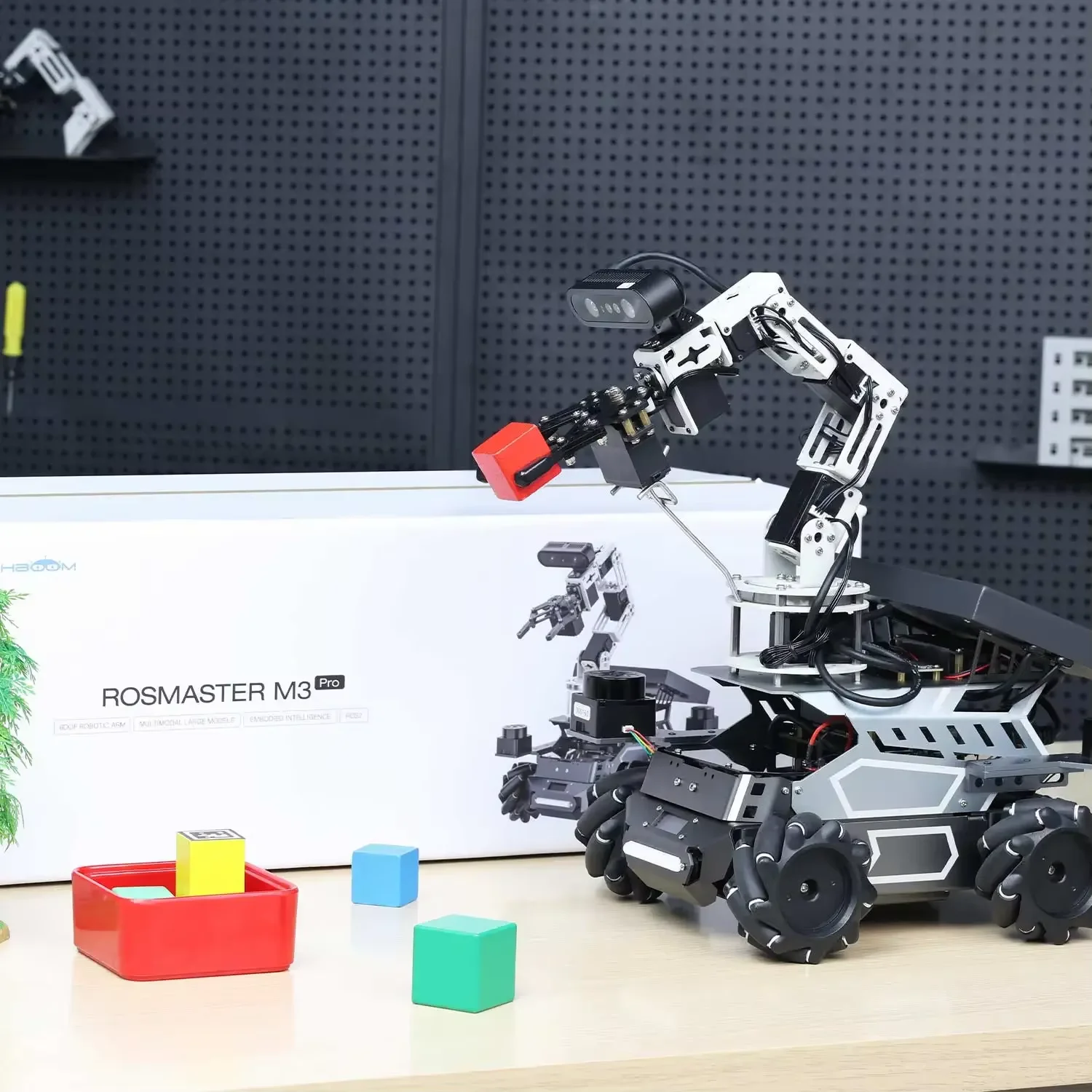
It promises something that sounds almost too good—an all-in-one ROS2 robot platform that can see, understand voice commands, navigate autonomously, and even pick up objects using a robotic arm. On paper, it tries to bridge the gap between beginner-friendly kits and serious research-grade robotics systems.
So we went through dozens of user experiences, documentation, and real-world use cases to figure out whether this is actually worth your money—or just another overhyped robotics kit.
Quick Summary
Verdict: A powerful, flexible robotics platform—but only if you’re willing to learn
Best For: Students, developers, and researchers serious about AI + robotics
Not Ideal For: Absolute beginners expecting plug-and-play simplicity
Check Current Price: Affiliate Disclosure (Note: Prices are not mentioned here as they may change — refer to the affiliate links for updated deals. No additional cost to you.)
Why We Researched This Product
We didn’t pick this randomly. The ROSMASTER M3 Pro sits in a very interesting spot—it’s not a toy, and it’s not quite industrial either. That middle ground is where most buyers get confused.
So instead of relying on surface-level impressions, we looked at:
- User feedback from robotics communities
- Real demo implementations (SLAM, tracking, manipulation)
- Technical documentation and hardware specs
What stood out quickly is that this isn’t just about features—it’s about how well those features actually work together in real-world scenarios.
Use-Case Breakdown: Who Wins and Who Loses?
Persona 1: The Robotics Student
A typical day: experimenting with SLAM algorithms, testing object detection, trying to make sense of ROS2 nodes.
With the ROSMASTER M3 Pro, this student gets a full working system instead of building everything from scratch. That means more time learning concepts and less time troubleshooting hardware compatibility.
Who wins? Students who want a ready platform to test ideas
Who loses? Students expecting step-by-step hand-holding
Persona 2: The Developer / AI Enthusiast
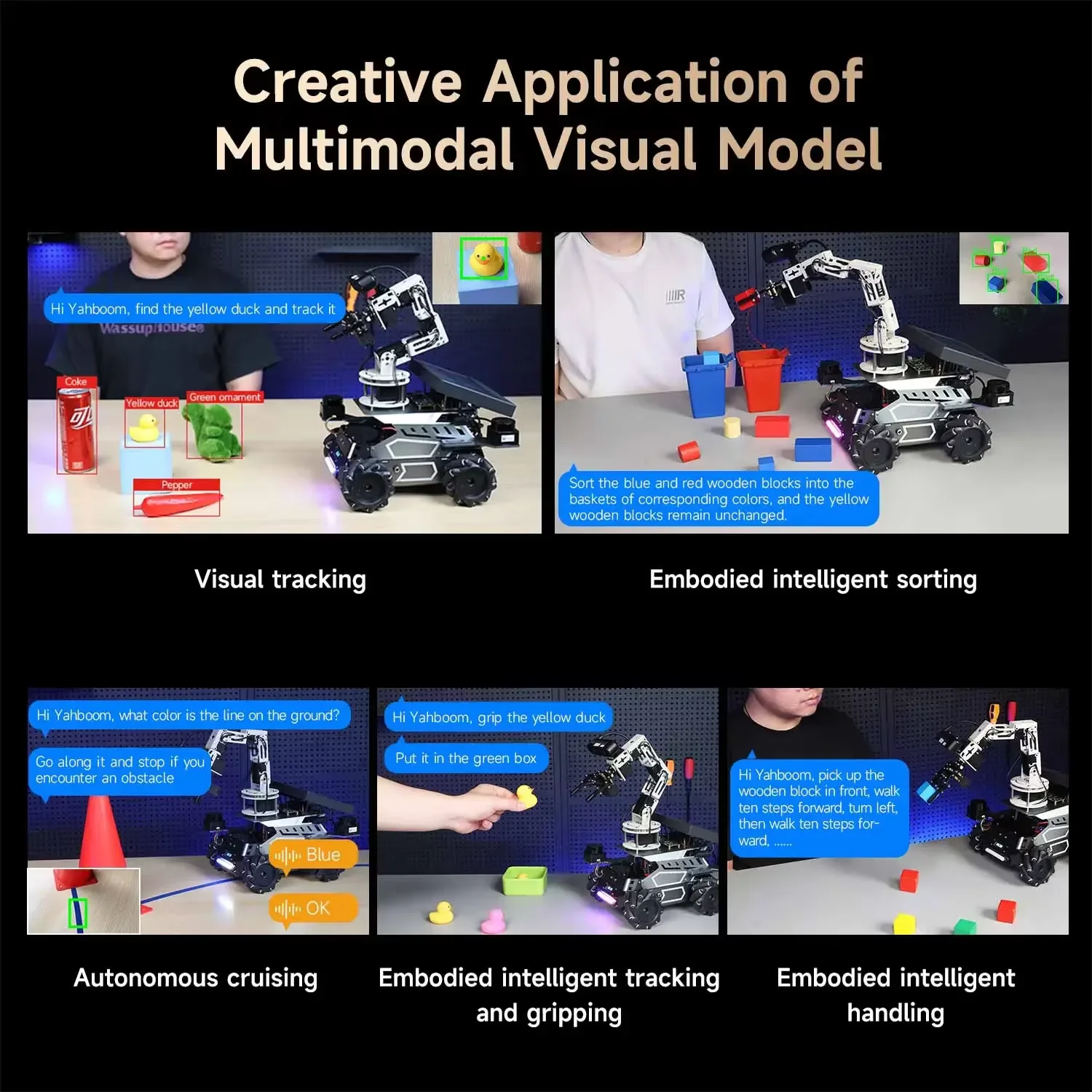
A developer isn’t interested in just moving wheels—they want integration: vision models, voice interaction, and automation.
This robot delivers on that with:
- Multimodal AI interaction
- Jetson-based compute options
- Expandable ROS2 ecosystem
But here’s the catch—it’s only as powerful as your ability to configure it.
Who wins? Developers comfortable with Linux and ROS
Who loses? People expecting instant results without setup
Persona 3: The Researcher / Educator
For universities, this becomes a teaching platform. Instead of theoretical lessons, students can run real SLAM mapping, object tracking, and robotic manipulation.
The value here is in consistency—a standardized system for multiple learners.
The Gift Giver Section
This is not a casual gift. If you give this to someone without technical interest, it’ll likely sit unused. But for the right person—someone already into robotics—it’s one of those gifts that actually gets used long-term.
Features vs. Reality (The Truth Table)
Marketing Claim | Reality After Research |
|---|---|
Multimodal AI interaction | Works well, but requires setup and understanding of models |
Autonomous navigation with SLAM | Accurate, but environment setup matters a lot |
Voice control out of the box | Functional, but not plug-and-play perfect |
High precision robotic arm | Good accuracy, but depends on calibration |
Ready for education | True—but educators still need preparation time |
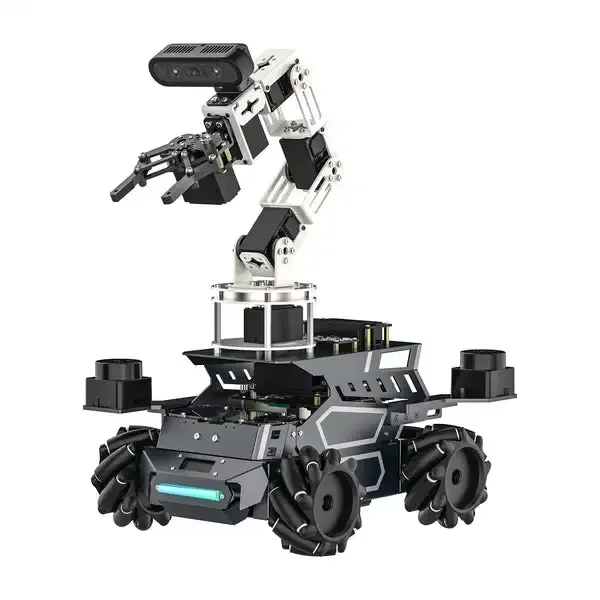
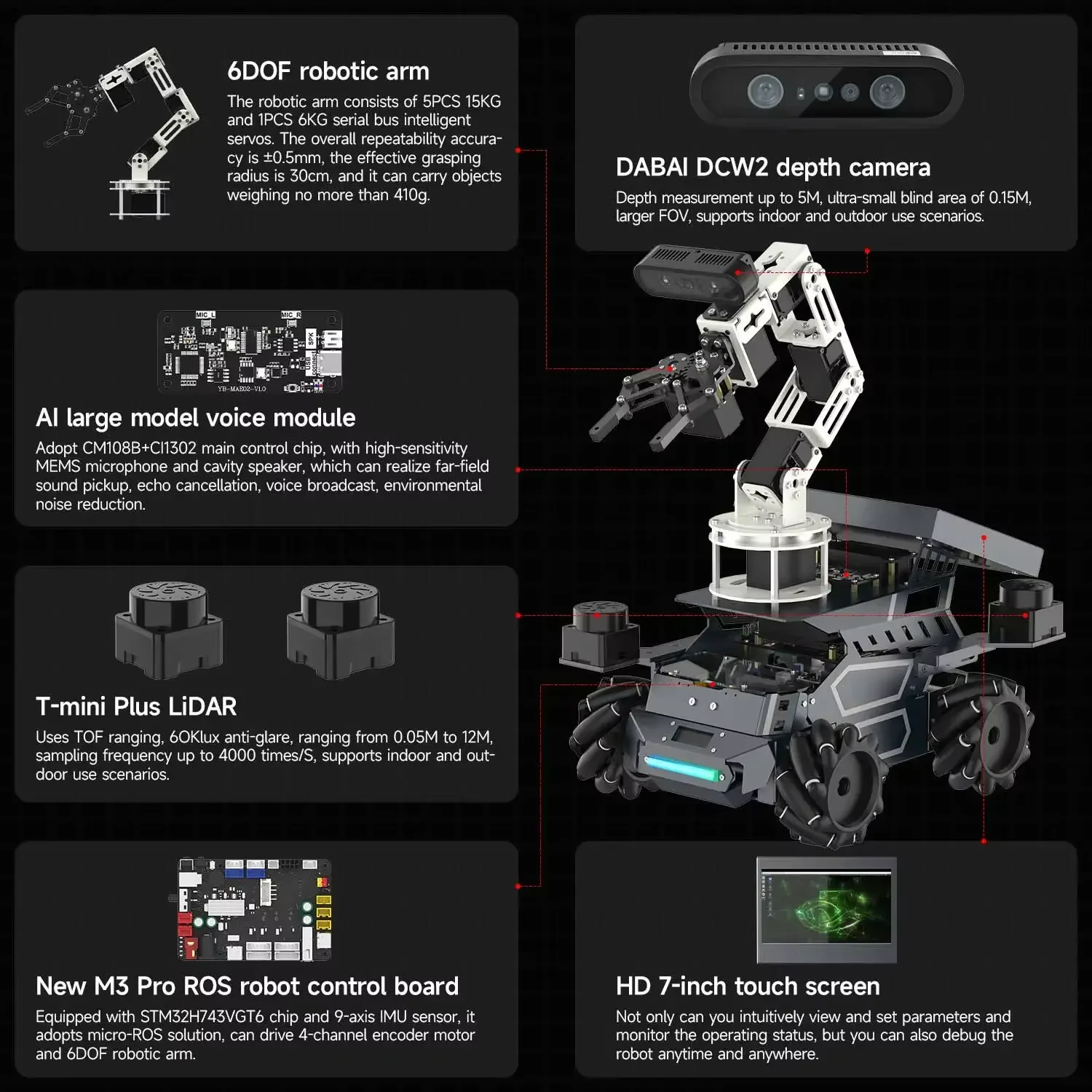
Technical Specifications
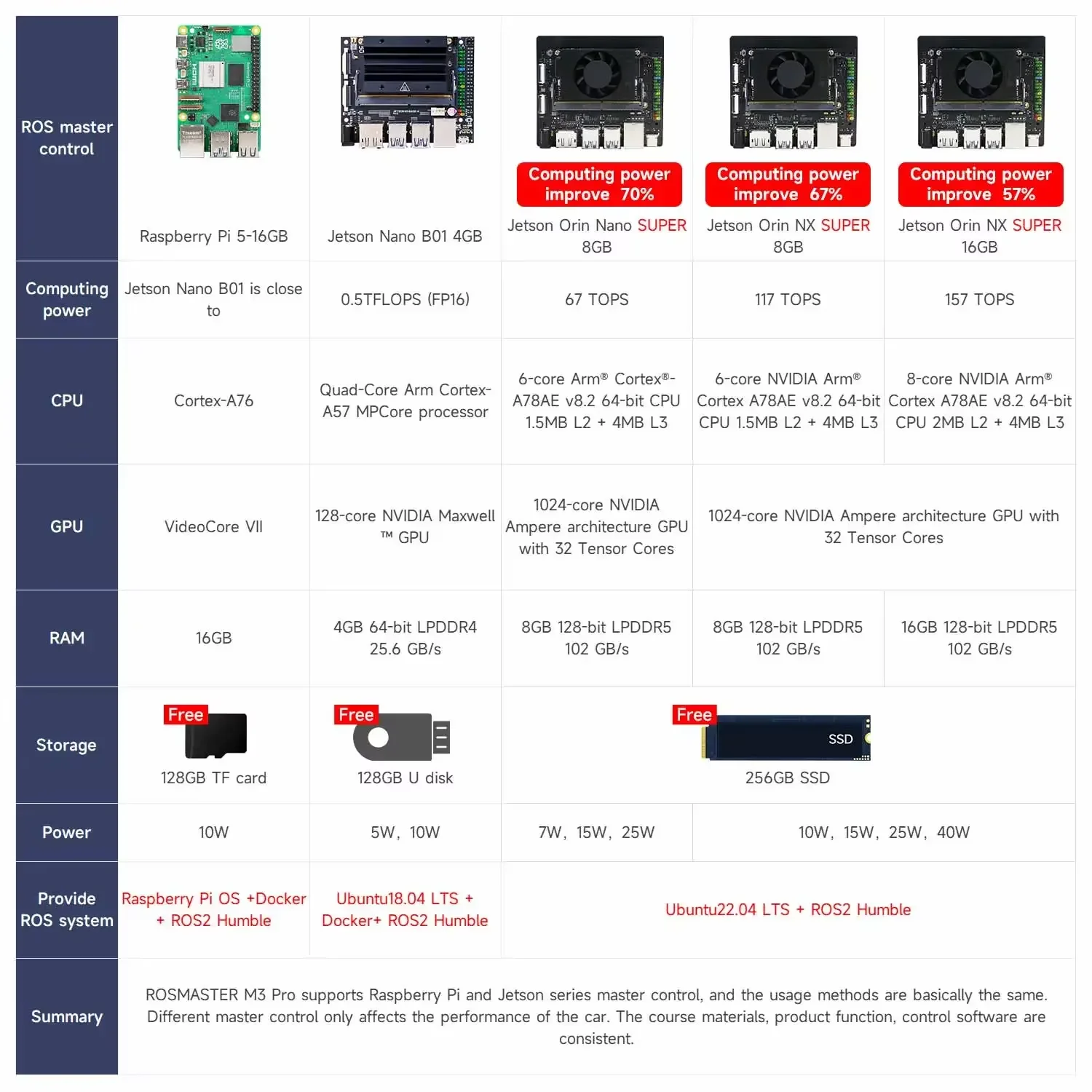
- System: ROS2 Humble
- Compute Options: Raspberry Pi 5 / Jetson Nano / Jetson Orin NX
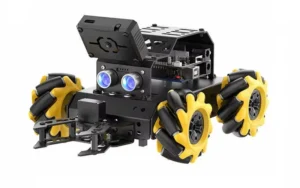
- Mobility: Mecanum wheels (omnidirectional movement)
- Suspension: Rear pendulum system
- Robotic Arm: 6DOF with 0.5mm repeatability
- Vision System: Binocular structured light depth camera
- LiDAR: Dual TOF LiDAR (360° coverage)
- Navigation: SLAM (GMapping, Cartographer, SLAM Toolbox)
- Interaction: Voice + text + image input
- Payload Capacity: ~410g (gripper)
Build & Design Deep-Dive
Unboxing the ROSMASTER M3 Pro feels closer to opening a lab kit than a consumer gadget. The box is fairly heavy, and that’s mostly due to the metal chassis and components.
Inside, everything is organized but not overly simplified. You’re not getting a LEGO-style step-by-step experience. Instead, it’s more like:
- Components grouped logically
- Hardware packed securely
- Documentation guiding the process
Assembly depends on your version—some come pre-assembled, others require partial setup.
The aluminum alloy chassis feels solid. It’s not something you worry about breaking during normal use. The mecanum wheels are large enough to handle uneven surfaces, which matters more than you’d think when testing navigation algorithms.
The robotic arm is where things get interesting. It feels precise, but also slightly delicate if you’re careless. (And yes, small screws can disappear quickly if you’re not careful—I lost one during setup and had to improvise.)
Overall, the build quality leans more toward “educational lab equipment” than consumer polish—and that’s not a bad thing.
Troubleshooting Common Issues
- Robot not responding: Check ROS node initialization
- SLAM inaccuracies: Ensure proper LiDAR calibration
- Voice commands lagging: Optimize processing pipeline
- Arm misalignment: Recalibrate servos
These aren’t defects—they’re part of working with advanced robotics.
The Good, The Bad, & The Ugly
✅ Pros
- Strong hardware integration (vision, LiDAR, arm)
- True ROS2 compatibility
- Flexible for multiple use cases
- Expandable with different compute boards
- Good balance between education and real-world capability
❌ Cons
- Not beginner-friendly
- Setup can be time-consuming
- Documentation requires patience
- Voice AI isn’t perfect out of the box
- Learning curve is real
⚠️ Researcher’s Note
If you’re new to ROS, expect a slow start. But once it clicks, the value becomes clear.
FAQs
Q1. Is it beginner-friendly?
Not really. It’s better for intermediate users.
Q2. Does SLAM work well?
Yes, but setup matters.
Q3. Can it recognize objects?
Yes, with proper configuration.
Q4. Is it worth the price?
If you’ll actually use its features—yes.
Q5. Can kids use it?
Only with guidance.
Q6. Does it come fully assembled?
Depends on the version, select correct version while purchasing.
Q7. Is coding required?
Yes—especially if you want to unlock what this robot is actually capable of. Out of the box, you can run demos like basic navigation, object tracking, and voice interaction. But to go beyond that, coding becomes essential.
Here’s where coding comes in:
- ROS2 Development: You’ll write and modify nodes to control movement, sensors, and behaviors
- AI Integration: Customize vision recognition, object detection, and multimodal interactions
- Robotic Arm Control: Program inverse kinematics for precise picking, sorting, and handling
- SLAM & Navigation: Fine-tune mapping, obstacle avoidance, and multi-point navigation
- Voice & Task Automation: Build workflows where the robot understands commands and executes multi-step actions
- System Expansion: Add new sensors, models, or features depending on your project
So while you can get started without heavy coding, the real value of this robot shows up when you start building your own logic and applications.
Q8. How durable is it?
Quite solid, thanks to the metal chassis.
Final Thoughts
The ROSMASTER M3 Pro isn’t trying to be simple—and that’s exactly why it works.
It’s built for people who want to learn, experiment, and build real robotics systems, not just play around. That also means it demands effort. If you’re not ready to spend time understanding ROS2 and configuring systems, this will feel frustrating.
But if you are? It becomes one of those tools that keeps giving back the more you use it.
So, is it worth your money? Yes—but only if you’re willing to meet it halfway.